Privacy-first usage analytics for Streamlit apps. One with block gives
you pageviews, visitors, widget clicks, custom events, a built-in dashboard
and SQL over your own data. No JavaScript, no cookies, no IP addresses stored.


- Install:
pip install streamlit-analytics2 # pip uv add streamlit-analytics2 # or uv - Wrap your app:
import streamlit as st
import streamlit_analytics2 as sa2

with sa2.track():
    st.write("Hello")
    st.button("Click me")
- Open your app with
?analytics=onon the URL:http://localhost:8501/?analytics=on
That is the whole integration. Everything below is optional.
with sa2.track(save_to_json="analytics.json"):   # counters + analytics.events.jsonl
    ...

with sa2.track(events_path="analytics.db"):      # SQLite, unlocks the query tab
...with sa2.track(unsafe_password=st.secrets["analytics_password"]):
...The password is plain text inside the app, so keep it in st.secrets or an
environment variable and pick something you would not reuse.
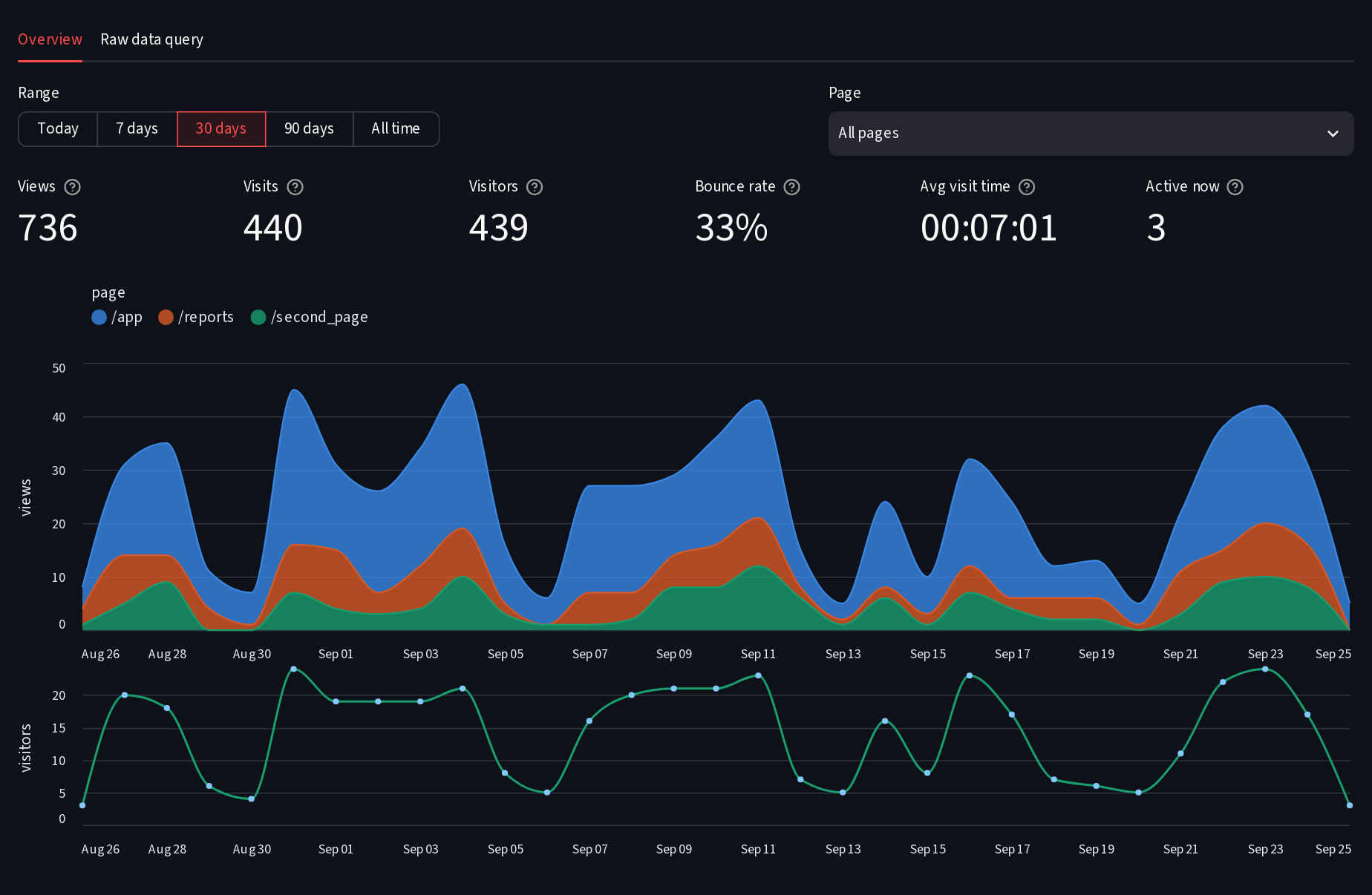
- Views, visits, visitors, bounce rate, average visit time, active now.
- Views per page over time, hourly for today, with range and page filters.
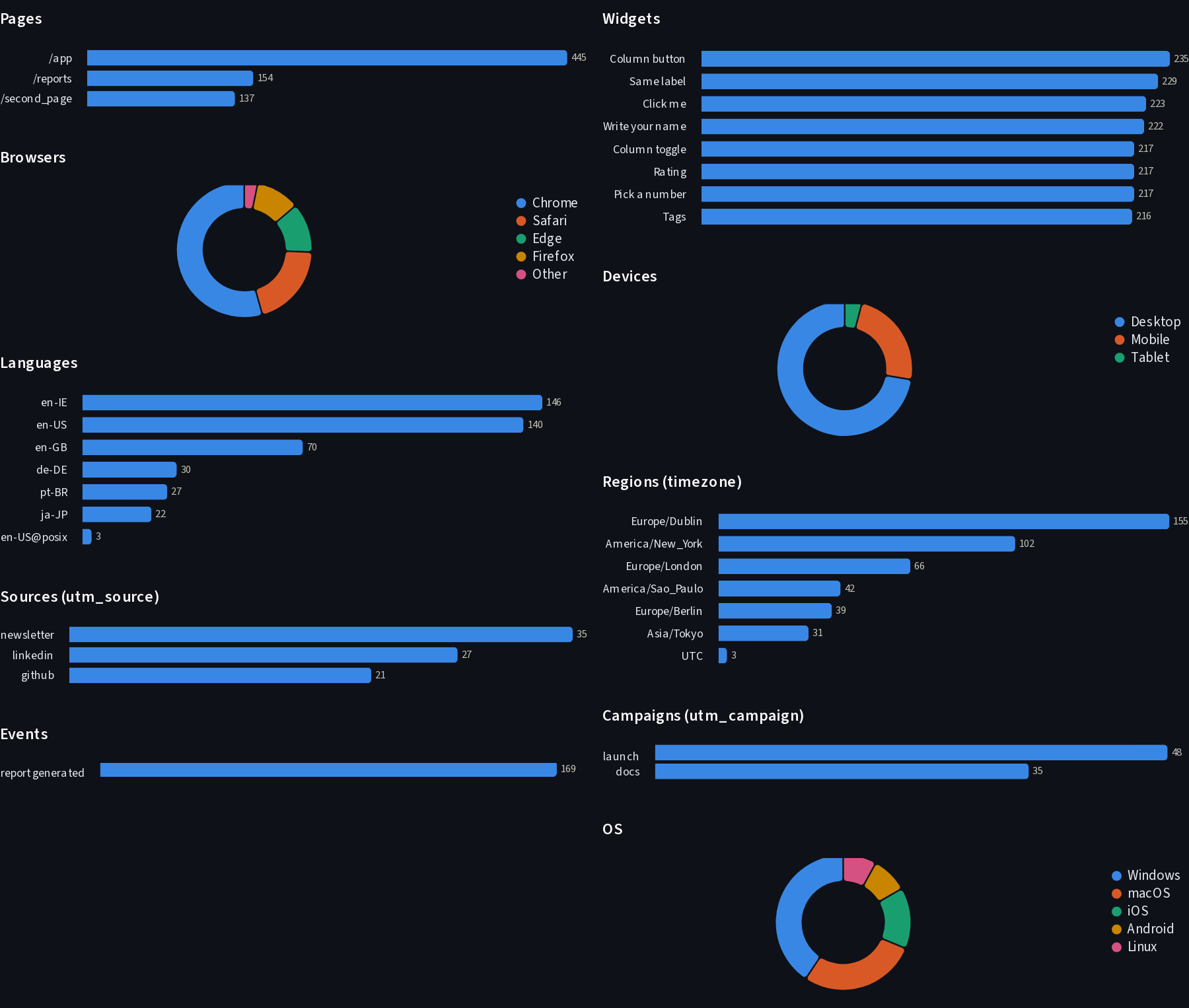
- Pages, widgets, browsers, OS, devices, languages, regions, UTM sources and campaigns, custom events.
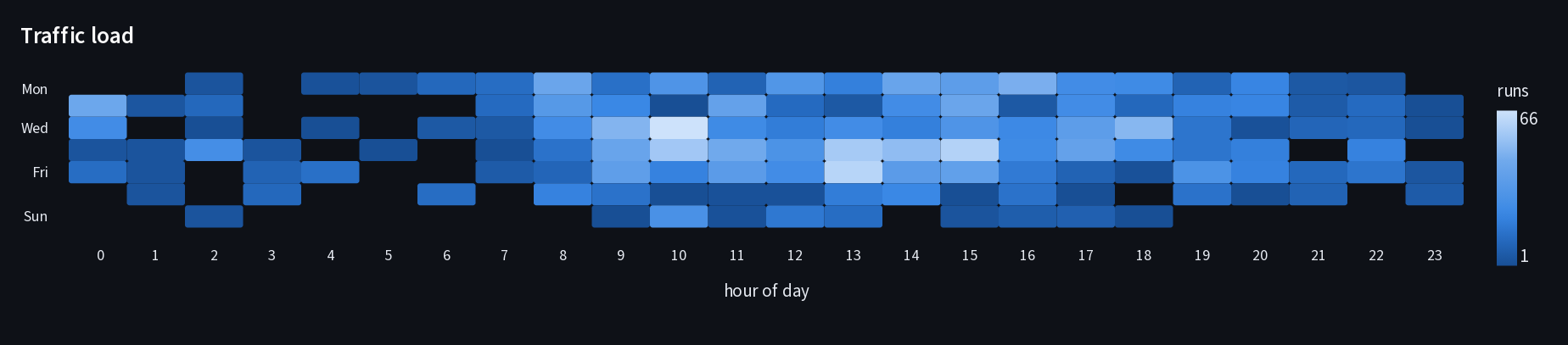
- A weekday-by-hour traffic-load heatmap and the busiest hour.
- Recent visits.
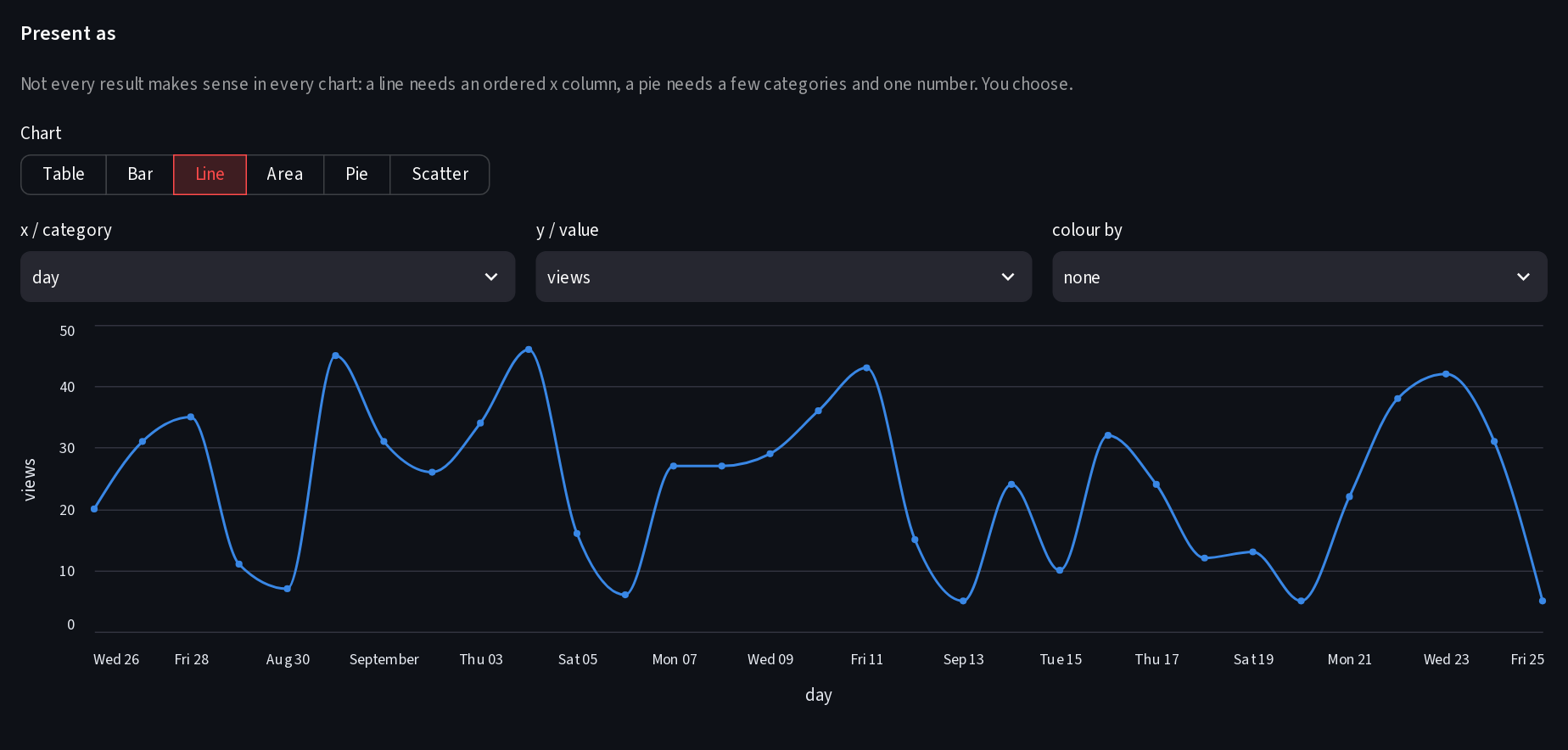
- Raw data query: read-only SQL over the SQLite log, example queries, CSV
download and a chart picker. Needs
events_pathon a.dbfile and a password.
Your own runs with ?analytics=on open are not counted.
if st.button("Generate report"):
sa2.event("report generated", rows=len(df))Stored per visit: a hash of address and browser that changes every day, browser, OS and device family, language, timezone, theme, UTM tags, pages. Stored per interaction: widget type, label, key, page and the chosen option.
Never stored: IP addresses, raw User-Agent strings, query strings, or anything
typed into text fields. Set store_values=True if you do want typed text.
| Argument | Default | What it does |
|---|---|---|
unsafe_password |
None |
Password for the dashboard. Also gates the reset and the query tab. |
save_to_json |
None |
Counters file (0.10 shape). Events go to <name>.events.jsonl beside it. |
load_from_json |
None |
Load counters from that file at start. |
events_path |
None |
Event log path. .jsonl by default, .db / .sqlite for SQLite. |
store |
None |
Your own backend: any object with append(events) and read(). |
store_values |
False |
Record typed text instead of <text>. |
session_id |
None |
Also keep per-session counters in Firestore under this document. |
firestore_key_file, firestore_collection_name, firestore_document_name, firestore_project_name, streamlit_secrets_firestore_key |
Persist the counters in Firestore. See the wiki. | |
verbose |
False |
Log what is loaded and saved. |
start_tracking() and stop_tracking() take the same arguments if you
prefer them to the with block. Every event is a plain record (ts, kind,
session, visitor, page, name, widget_type, key, value, props),
so the log is easy to feed into pandas, DuckDB or an LLM.
Call sa2.track() on every page. Views and widgets are recorded per page in
the event log and on the dashboard. The legacy counters in
streamlit_analytics2.data are shared across pages, as before.
Streamlit already knows which widget a user changed on each rerun. This
library reads that from one place instead of wrapping every st.* function,
so widgets inside columns, forms, expanders, tabs, dialogs and the sidebar are
all seen, and a widget rendering with its default is never counted as a click.
Nothing to change in your code. The numbers will be lower because a widget rendering with its default no longer counts as an interaction, typed text is no longer stored unless you ask, and the dashboard reset now needs a password. Details in CHANGELOG.md.
Full docs live in docs/
and on the wiki:
getting started,
API reference,
dashboard,
storage,
events and data model,
raw data query,
privacy,
multipage,
deployment,
Firestore,
FAQ,
upgrading.
For AI assistants: llms.txt
is the short summary, llms-full.txt
is every docs page in one file, and
docs/for-ai-agents.md
has the integration decisions and canonical snippets.
Issues and pull requests are welcome. See
CONTRIBUTING.md.
Development: uv sync --all-extras && uv run pytest. A dev app with every
widget type lives in examples/dev/; examples/dev/seed.py fills a dev log
with made-up traffic so the dashboard has something to show.
MIT. See LICENSE.