
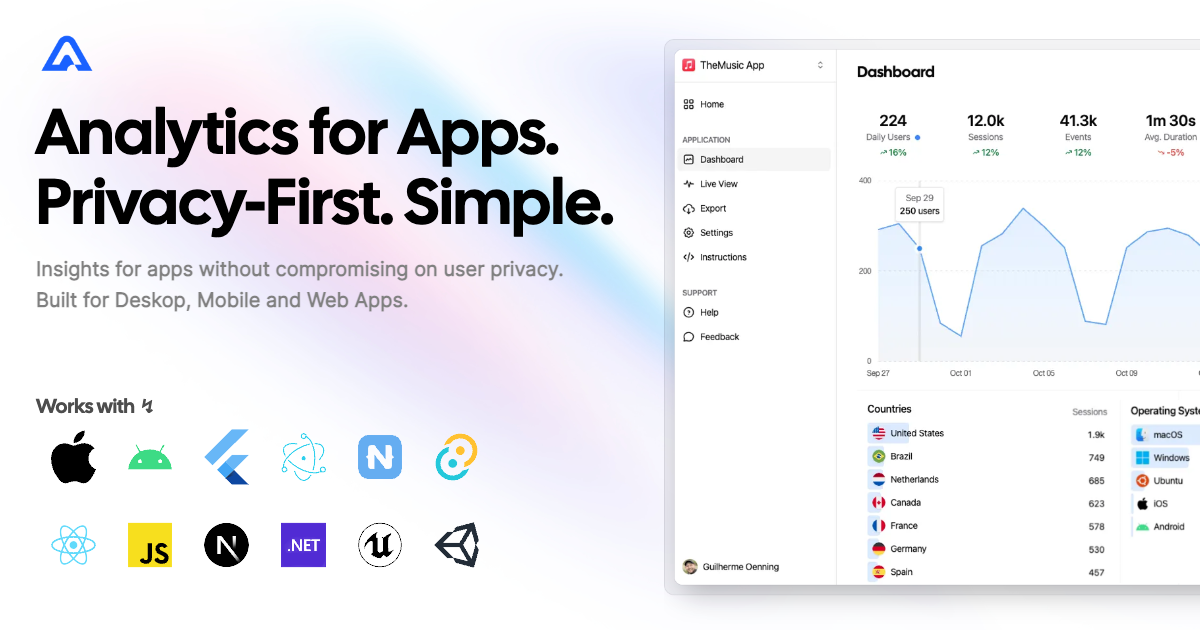
This plugin allows you to instrument your app with events that can be analyzed in Aptabase, an Open Source, Privacy-First, and Simple Analytics for Mobile, Desktop, and Web Apps.
Install the Core plugin by adding the following to your Cargo.toml file:
src-tauri/Cargo.toml
[dependencies]
tauri-plugin-aptabase = "1.3.0"[dependencies]
tauri-plugin-aptabase = { git = "https://github.com/aptabase/tauri-plugin-aptabase" }You can install the JavaScript Guest bindings using your preferred JavaScript package manager
npm add @aptabase/taurinpm add https://github.com/aptabase/tauri-plugin-aptabaseFirst, you need to get your App Key from Aptabase, you can find it in the Instructions menu on the left side menu.
Then register the plugin with Tauri:
src-tauri/src/main.rs
#[tokio::main]
async fn main() {
    tauri::Builder::default()
        .plugin(tauri_plugin_aptabase::Builder::new("<YOUR_APP_KEY>").build()) // 👈 this is where you enter your App Key
        .run(tauri::generate_context!())
        .expect("error while running tauri application");
}
And finally add aptabase:allow-track-event to your list Access Control List.
You can then start sending events from Rust by importing the tauri_plugin_aptabase::EventTracker trait and calling the track_event method on App, AppHandle or Window.
As an example, you can add app_started and app_exited events like this:
use tauri_plugin_aptabase::EventTracker;

#[tokio::main]
async fn main() {
    tauri::Builder::default()
        .plugin(tauri_plugin_aptabase::init("<YOUR_APP_KEY>".into()))
        .setup(|app| {
            app.track_event("app_started", None);
            Ok(())
        })
        .build(tauri::generate_context!())
        .expect("error while running tauri application")
        .run(|handler, event| match event {
            tauri::RunEvent::Exit { .. } => {
                handler.track_event("app_exited", None);
                handler.flush_events_blocking();
            }
            _ => {}
        })
}
The trackEvent function is also available through the JavaScript guest bindings:
import { trackEvent } from "@aptabase/tauri";

trackEvent("save_settings") // An event with no properties
trackEvent("screen_view", { name: "Settings" }) // An event with a custom property
A few important notes:
- The plugin will automatically enhance the event with some useful information, like the OS, the app version, and other things.
- You're in control of what gets sent to Aptabase. This plugin does not automatically track any events, you need to call
trackEventmanually.- Because of this, it's generally recommended to at least track an event at startup
- You do not need to await for the
trackEventfunction, it'll run in the background. - Only strings and numbers values are allowed on custom properties
Error reporting is in beta. Reports appear on the
Errorspage of your Aptabase dashboard.
Use track_error to report errors you've caught and handled in Rust, through the tauri_plugin_aptabase::ErrorTracker trait on App, AppHandle or Window:
use tauri_plugin_aptabase::ErrorTracker;

if let Err(err) = std::fs::read_to_string("settings.json") {
    app.track_error(&err); // severity: error
}
The trackError function does the same from JavaScript. Add aptabase:allow-track-error to your Access Control List first:
import { trackError } from "@aptabase/tauri";

try {
  await saveSettings();
} catch (error) {
  trackError(error); // severity: error
}
For errors your app can't recover from, mark the report as fatal:
trackError(error, { fatal: true }); // severity: fataluse tauri_plugin_aptabase::{ErrorReport, ErrorTracker};
app.track_error_report(ErrorReport::from_error(&err).with_fatal(true)); // severity: fatalTo also report crashes and uncaught errors automatically, enable crash reporting when you register the plugin:
tauri::Builder::default()
    .plugin(tauri_plugin_aptabase::Builder::new("<YOUR_APP_KEY>").with_crash_reporting().build())
A few important notes about error reporting:
- A panic on the main thread ends your app: it's reported as a fatal
crash, and the app waits up to three seconds for the report to be sent before it exits. A panic in an async command or a task on Tauri's async runtime ends only that task (taskException), and one on a thread of your own ends only that thread (unhandled): both are reported with severityerror. A hook set withwith_panic_hookstill runs. - With crash reporting on, the webview's uncaught errors (
unhandled) and unhandled promise rejections (taskException) are reported too. This needs theaptabase:allow-track-errorpermission. - Each report includes the error type, message, stack trace, severity (
errororfatal) and how it was captured (handled,unhandled,taskExceptionorcrash). A Rust error is reported with its type name and the errors that caused it; a panic with its location and a backtrace. - Errors count against a separate monthly error quota. When it is exhausted, the server rejects new reports until it resets, and the plugin drops them instead of retrying.
- Crashes that don't go through Rust's panic handler (a segfault or an abort in native code) aren't captured.
It's possible to load the APTABASE_KEY from a .env file at compile time using the dotenvy_macro crate. The .env file needs to be
in the src-tauri directory for the dotevny_macro crate to find it properly.
Add the use declaration to where you are building the tauri app (likely lib.rs for Tauri v2), and then call it where you would put the key.
use tauri_plugin_aptabase::EventTracker;
use dotenvy_macro::dotenv;

#[cfg_attr(mobile, tauri::mobile_entry_point)]
/// This function sets up and runs a Rust application using the Tauri framework, with various plugins
/// and event handlers.
pub fn run() {
    tauri::Builder::default()
        .build(tauri::generate_context!())
        .plugin(tauri_plugin_aptabase::Builder::new(dotenv!("APTABASE_KEY")).build())
        .expect("Error when building tauri app")
        .run(|handler, event| match event {
            tauri::RunEvent::Exit { .. } => {
                handler.track_event("app_exited", None);
                handler.flush_events_blocking();
            }
            tauri::RunEvent::Ready { .. } => {
                handler.track_event("app_started", None);
            }
            _ => {}
        });
}Events are queued in memory and sent in the background: every 60 seconds in release builds and every 2 seconds in debug builds (set flush_interval in InitOptions to change it), and whenever you call flush_events_blocking().
- Each request carries up to 25 events.
- If a request doesn't reach the server (no network, a timeout) or the server answers with a 5xx status, its events stay queued for the next flush.
- If the server answers with any other unsuccessful status, such as a 4xx, its events are dropped.
- The queue isn't saved to disk.
Requests use the system proxy settings on macOS and Windows, and the HTTP_PROXY, HTTPS_PROXY, ALL_PROXY and NO_PROXY environment variables on every platform.
The plugin sends events with reqwest. You choose its TLS backend with one of these Cargo features:
| Feature | Backend |
|---|---|
default-tls (default) |
reqwest's default backend, currently rustls |
rustls-tls |
rustls |
native-tls |
The platform's TLS library: OpenSSL on Linux and Android, Security.framework on Apple platforms, SChannel on Windows |
To switch backend, turn off the default features:
[dependencies]
tauri-plugin-aptabase = { version = "1.3", default-features = false, features = ["native-tls"] }
Neither default-tls nor rustls-tls needs OpenSSL, so you can cross-compile for Android and Linux without it.
For AI/LLM integration instructions, see llms.txt