

Flutter packages to enable passkey authentication (based on WebAuthn / FIDO2).
| Android | iOS | Linux | macOS | Web | Windows | |
|---|---|---|---|---|---|---|
| Support | ✅ | ✅ | ❌ | ✅ | ✅ | ✅ |
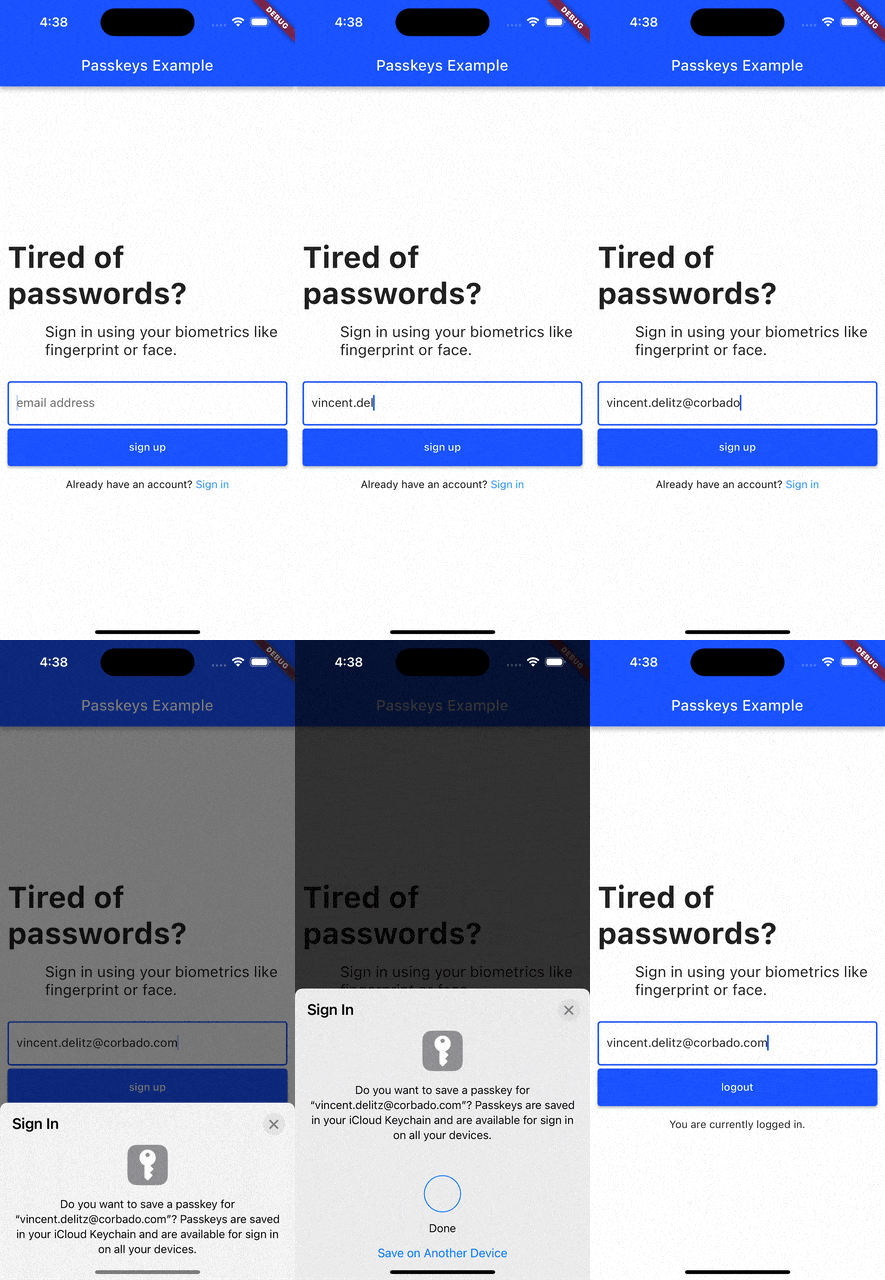
A Flutter package that enables simple passkey authentication. Currently Android, iOS, macOS, Web and Windows are supported.
- sign up and login users with passkeys
- connect your own relying party server or use pre-implemented ones
The passkeys package can be used as the platform authenticator for supabase_flutter.
Supabase Auth acts as the relying party server, while passkeys handles the native passkey prompts on iOS, Android, macOS, Windows and Web.
It requires supabase_flutter 2.15.0 or later and passkeys 2.21.0 or later.
Add both packages to your pubspec.yaml:
dependencies:
  supabase_flutter: ^2.15.0
  passkeys: ^2.21.0
Initialize Supabase as usual and create a PasskeyAuthenticator that you pass to the passkey methods:
import 'package:passkeys/authenticator.dart';
import 'package:supabase_flutter/supabase_flutter.dart';

await Supabase.initialize(
  url: supabaseUrl,
  anonKey: supabaseAnonKey,
);

final supabase = Supabase.instance.client;
final authenticator = PasskeyAuthenticator();
Registering a passkey requires a signed in (non-anonymous) user. It adds a passkey to the current account:
try {
  final passkey = await supabase.auth.registerPasskey(authenticator);
  print('Registered passkey ${passkey.id}');
} on AuthException catch (e) {
  print(e);
}try {
final res = await supabase.auth.signInWithPasskey(authenticator);
print('Signed in as ${res.user?.email}');
} on AuthException catch (e) {
print(e);
}For custom flows there is also a two-step API under the supabase.auth.passkey namespace (startRegistration/verifyRegistration and startAuthentication/verifyAuthentication), as well as methods to list, rename and delete passkeys.
For the full guide and configuration steps, see the Supabase passkeys documentation.
We're happy to receive your pull requests. For major changes, please open an issue first to discuss what you would like to change.
If you have questions, feedback or wishes regarding features, please reach out to us via email or join our passkeys community on Slack.