Repository navigation
Render blog details with a native SwiftUI list - #26026
crazytonyli wants to merge 2 commits into
Conversation


 crazytonyli
changed the title
crazytonyli
changed the title

Generated by 🚫 Danger |

|

| App Name | WordPress | |
| Configuration | Release-Alpha | |
| Build Number | 34649 | |
| Version | PR #26026 | |
| Bundle ID | org.wordpress.alpha | |
| Commit | 2c1ab5b | |
| Installation URL | 6v166gnb09qio |
|

| App Name | Jetpack | |
| Configuration | Release-Alpha | |
| Build Number | 34649 | |
| Version | PR #26026 | |
| Bundle ID | com.jetpack.alpha | |
| Commit | 2c1ab5b | |
| Installation URL | 25hp3u6dcsho0 |
47f3389 to
781d86d
Compare

| return | ||
| } | ||
| if scrollView.contentOffset.y >= 60 { | ||
| if currentSection == .dashboard && scrollView.contentOffset.y >= 60 { |
There was a problem hiding this comment.
This is an intentional change. When the blog details is displayed standalone on WordPress, we no longer show or hide the navigation bar depending on scrolling positions. Toggling navigation bar messes with SwiftUI list and results in very confusing list jumps. I decided to remove the toggling, instead of working around the jumps.
| } header: { | ||
| if let title = section.title, !title.isEmpty { | ||
| Text(title) | ||
| } |
There was a problem hiding this comment.
Another small UI change: the header and footer now uses the default system layout, which has slightly large spacing than the old UIKit implementation. I think that's acceptable.
781d86d to
2c1ab5b
Compare

|
Version |
806722b to
44a9df0
Compare
44a9df0 to
c104b70
Compare

 jkmassel
left a comment
jkmassel
left a comment
jkmassel
left a comment
There was a problem hiding this comment.
Requesting changes for two site-switching bugs on iPhone, plus four smaller regressions. The native list itself works well: rows, selection, the iPad sidebar and scrolling all behaved.
Must fix
- The site switcher stays open after picking a site. See the comment on
removeChildFromStackView. - The site header can disappear, which removes the site switcher until relaunch. See the comment in
BlogDetailsView.
Should fix
- The site header jumps above the Me header in Reader mode.
- The create button can be hidden after a site switch.
- The Jetpack install card can show the wrong plugin.
- Disclosure chevrons point the wrong way in right-to-left languages.
One non-blocking note on iPad default rows is also inline.
Suggestions
All seven suggestions and the diff in the first comment were applied together, built and run in the app. The three blank header suggestions need to go in as a batch.
How this was checked
- Commits: this PR at
c104b70against its merge basee9e8c90. - Setup: Jetpack Debug on an iPhone 18 Pro and an iPad Pro 13 (M5) simulator, iOS 27.0, with a WordPress.com site and local self-hosted sites.
- Not run: a physical device, the WordPress app, the Reader app itself, and the unit tests with the suggestions applied.
Checked, no problem found
- Index-based sections: no crash in 4,000 cycles of shrinking the sections, including during scrolling. Hiding a card left the rows correct.
- Nav bar after a site change: it hides correctly on the site menu.
- Readable width: the list is 8 pt wider in iPhone landscape, which looks fine.
- iPad sidebar: selection and detail navigation work for Stats, Posts and Comments.
| if let headerViewController { | ||
| Section { | ||
| } header: { | ||
| BlogDetailsHeader(controller: headerViewController) |
There was a problem hiding this comment.
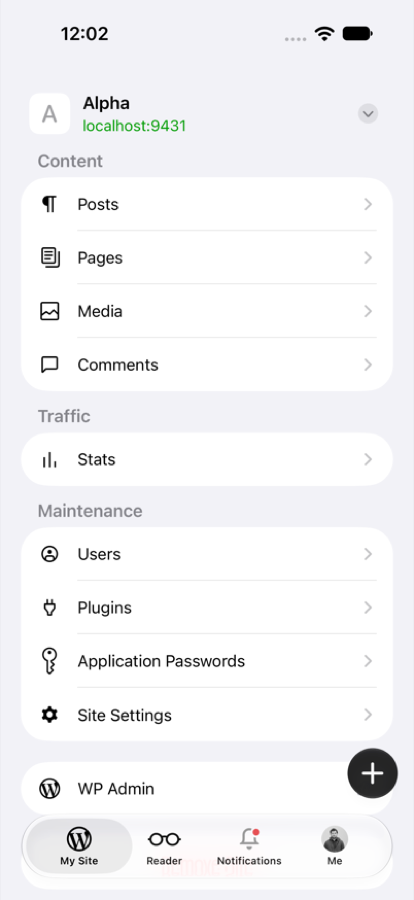
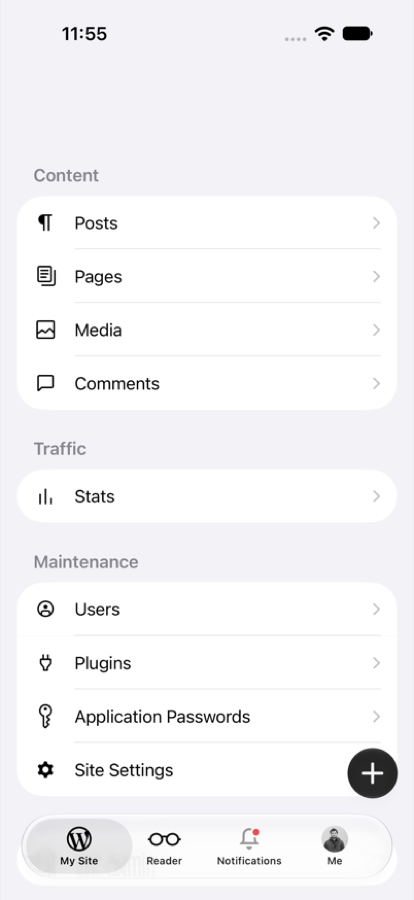
The site header can disappear for good, and the user can no longer switch sites.
What happens: leave the site menu for a dashboard site, then come back before the metadata sync ends. The header area stays blank.
Who is affected: anyone with both a WordPress.com site and a self-hosted site, on iPhone.
What they see: no site name and no site switcher until they relaunch the app. Waiting and changing tabs did not bring it back.
Why: hideBlogDetails detaches the header, but the old BlogDetailsViewController stays alive during the sync. When the header is put back, SwiftUI sees the same controller and never re-embeds it.
Suggested fix: give the header a new .id each time it is attached. This needs the suggestions on lines 6 and 26 here and the one on headerViewController, so apply them as a batch.
| BlogDetailsHeader(controller: headerViewController) | |
| BlogDetailsHeader(controller: headerViewController) | |
| .id(headerEmbedID) |
| Merge base | This PR | With the suggestion |
|---|---|---|
 |
 |
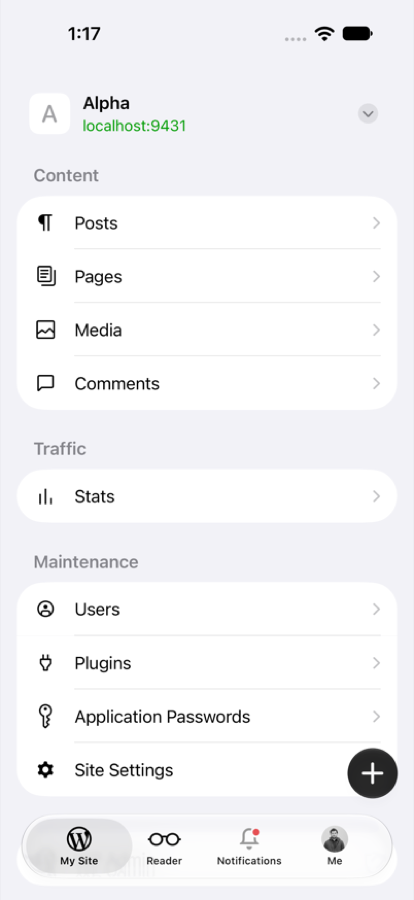 |
How this was checked: it reproduced about 4 and 11 seconds after leaving the site menu, but not after 32 seconds. The merge base was fine with the same taps. Re-embedding the header in updateUIViewController was also tried, and it did not fix this.
|
|
||
| struct BlogDetailsView: View { | ||
| @ObservedObject var viewModel: BlogDetailsTableViewModel | ||
| var headerViewController: UIViewController? |
There was a problem hiding this comment.
Part of the blank header fix on line 26.
| var headerViewController: UIViewController? | |
| var headerViewController: UIViewController? | |
| var headerEmbedID = UUID() |
| public weak var presentedSiteSettingsViewController: UIViewController? | ||
|
|
||
| var headerViewController: UIViewController? { | ||
| didSet { hostingController?.rootView.headerViewController = headerViewController } |
There was a problem hiding this comment.
Part of the blank header fix in BlogDetailsView.
| didSet { hostingController?.rootView.headerViewController = headerViewController } | |
| didSet { | |
| hostingController?.rootView.headerViewController = headerViewController | |
| hostingController?.rootView.headerEmbedID = UUID() | |
| } |
| if blogDetailsViewController.parent == nil { | ||
| if let headerViewController { | ||
| blogDetailsViewController.headerViewController = headerViewController | ||
| removeChildFromStackView(headerViewController) |
There was a problem hiding this comment.
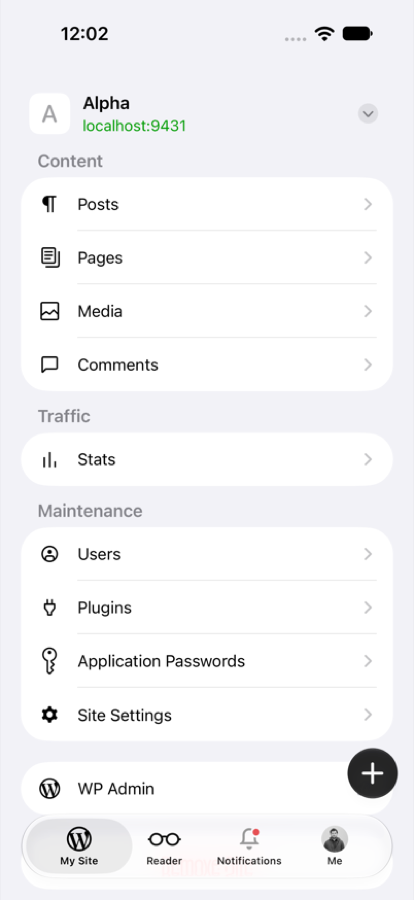
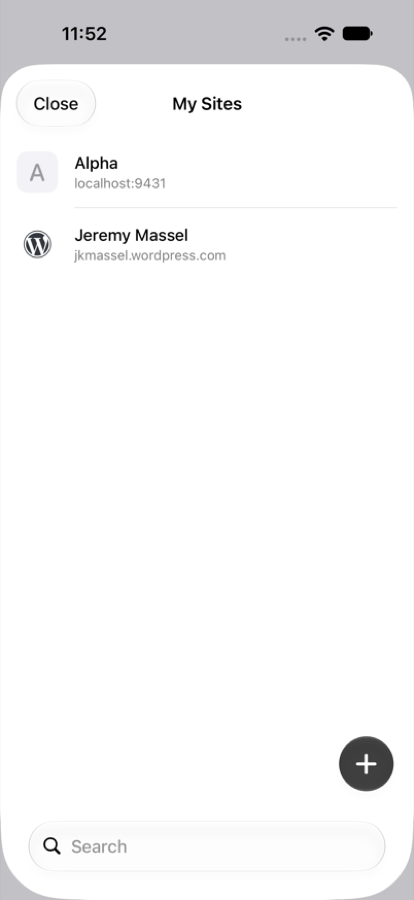
The site switcher stays open after picking a site.
What happens: on a dashboard site, open the switcher and pick a self-hosted site. The site changes behind the sheet, but the sheet stays up.
Who is affected: anyone switching from a dashboard site to a site-menu site, on iPhone.
What they see: the sheet was still open after 20 seconds. Only Close clears it.
Why: this line detaches the header while it is still presenting the sheet. HomeSiteHeaderViewController then calls dismiss on a controller with no parent, and nothing happens.
Suggested fix: keep a reference to the sheet before switching. The file is outside this PR's diff, so this can't be a suggestion.
             onSiteSelected: { [weak self] site in
+                let presented = self?.presentedViewController
                 self?.switchToBlog(site)
                 RecentSitesService().touch(blog: site)
-                self?.dismiss(animated: true) { [weak self] in
+                presented?.dismiss(animated: true) { [weak self] in
                     self?.onBlogListDismiss?()
}| Merge base | This PR | With the suggestion |
|---|---|---|
 |
 |
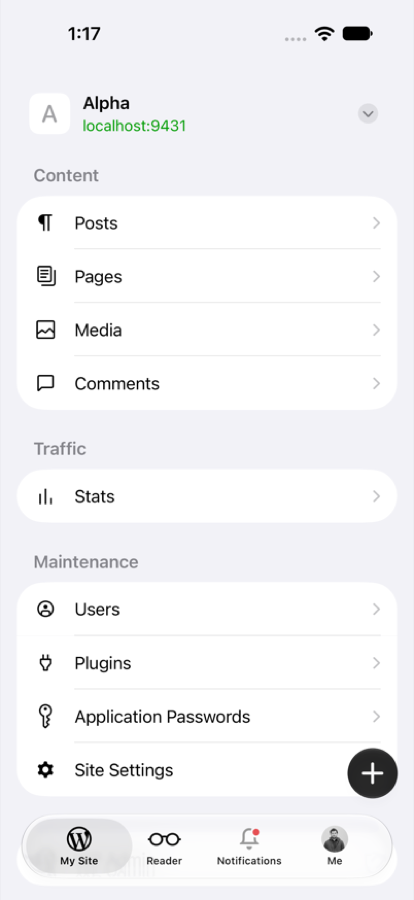 |
How this was checked: the same taps on the merge base and with this diff both close the sheet.
| blogDetailsViewController.remove() | ||
| if let header { | ||
| addChild(header) | ||
| stackView.insertArrangedSubview(header.view, at: 0) |
There was a problem hiding this comment.
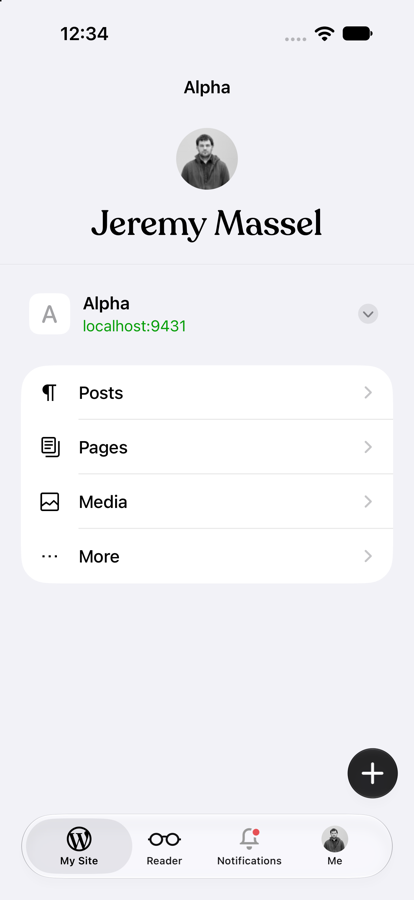
After a site change in Reader mode, the site header jumps above the Me header.
What happens: every configure(for:) on the dashboard path runs showBlogDetails then hideBlogDetails. That removes the header and puts it back at the top of the stack.
Who is affected: the Reader app, after its first site change.
What they see: the header order flips, as below.
Suggested fix: put the header back directly above the dashboard.
| stackView.insertArrangedSubview(header.view, at: 0) | |
| let dashboardView = blogDashboardViewController?.view | |
| let index = | |
| stackView.arrangedSubviews.firstIndex { $0 === dashboardView } ?? stackView.arrangedSubviews.count | |
| stackView.insertArrangedSubview(header.view, at: index) |
| Merge base | This PR | With the suggestion |
|---|---|---|
 |
 |
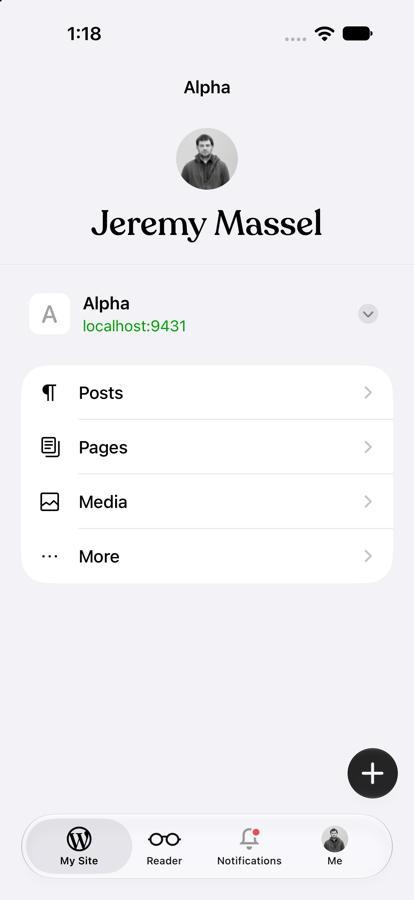 |
How this was checked: the Reader target does not build, so this ran in the Jetpack app with isReaderAppModeEnabled forced on. The stack order was also read from a view dump: merge base and the suggestion give Me, spacer, separator, site header, dashboard. This PR gives site header first.
| blogDetailsViewController.onRefresh = { [weak self] in | ||
| await self?.refreshSiteMenu() | ||
| } | ||
| add(blogDetailsViewController) |
There was a problem hiding this comment.
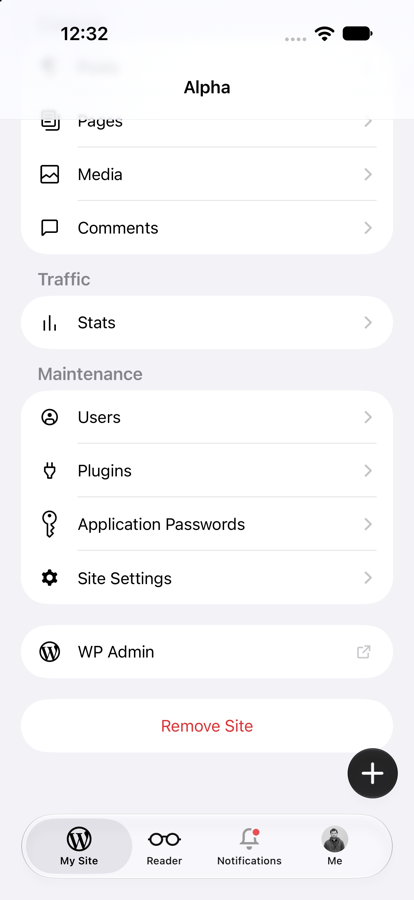
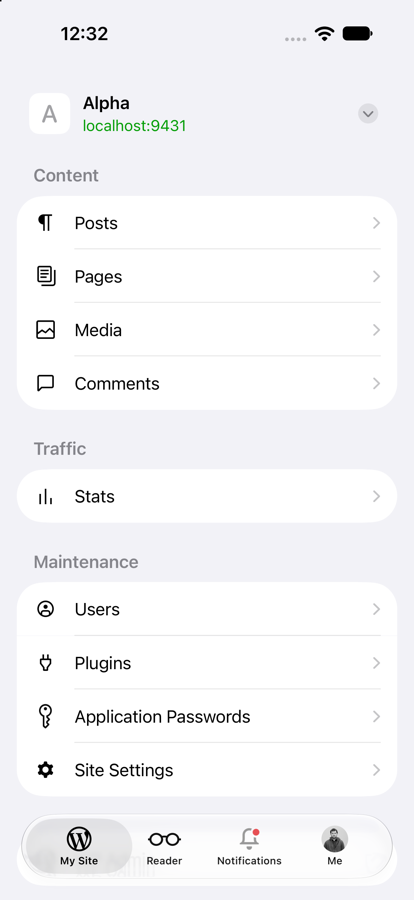
Switching site from outside My Site can hide the create button.
What happens: add(_:) puts the list on top of the button. The blog setter creates the button before configure(for:), so nothing moves it back up.
Who is affected: anyone on a dashboard site when showBlogDetails(for:) moves them to a site-menu site. Spotlight and share notices use that call.
What they see: no create button until they change tabs and come back.
Suggested fix: insert the list directly above the scroll view, which keeps the button on top.
| add(blogDetailsViewController) | |
| addChild(blogDetailsViewController) | |
| view.insertSubview(blogDetailsViewController.view, aboveSubview: scrollView) | |
| blogDetailsViewController.didMove(toParent: self) |
| Merge base | This PR | With the suggestion |
|---|---|---|
 |
 |
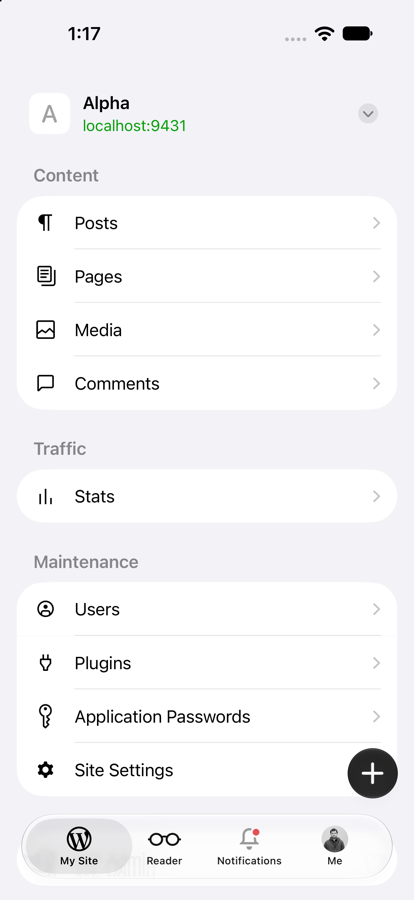 |
How this was checked: showBlogDetails(for:) was called directly, not through Spotlight or a share notice. A view dump shows the list above the button on this PR and below it with the suggestion.
| BlogDetailsCard(viewModel: viewModel, category: section.category) | ||
| .selectionDisabled() | ||
| .id(section.category) | ||
| .id(viewModel.blog.objectID) |
There was a problem hiding this comment.
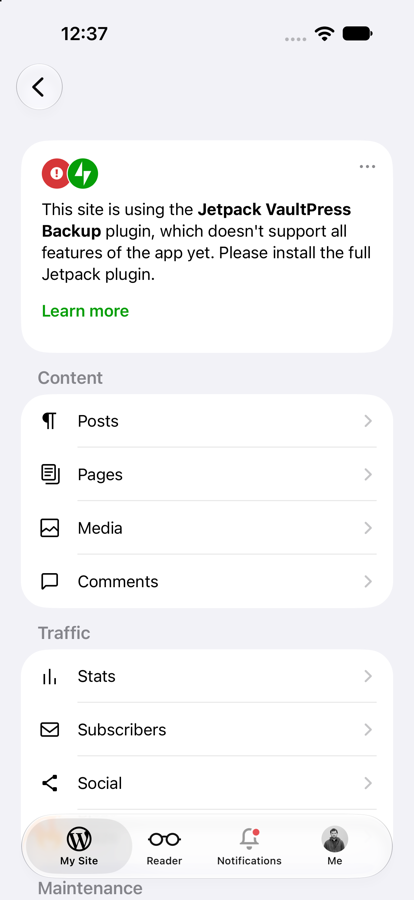
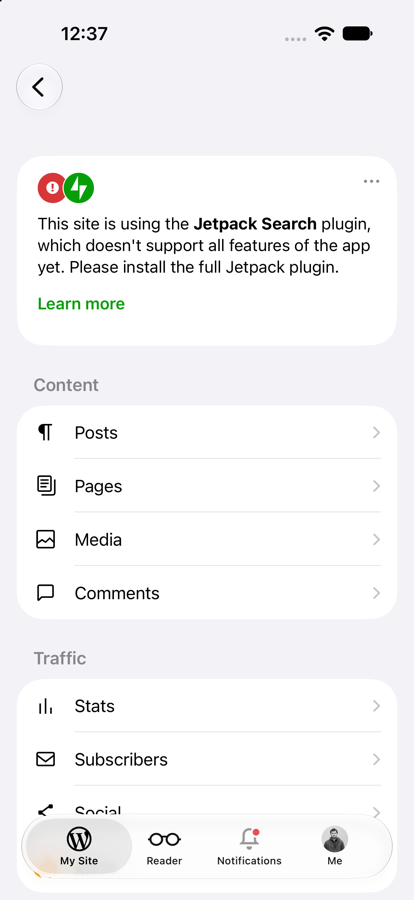
The Jetpack install card keeps showing old data after a sync.
What happens: the old table reconfigured the cell on every reload. updateUIView is now empty, and the card's .id doesn't change, so it is never rebuilt.
Who is affected: sites using individual Jetpack plugins, when the active plugin changes while the menu is open.
What they see: the wrong plugin name. In the screenshots both builds have saved Jetpack VaultPress Backup, but this PR still says Jetpack Search.
Suggested fix: rebuild the card when the plugins change.
| .id(viewModel.blog.objectID) | |
| .id(viewModel.blog.objectID) | |
| .id(viewModel.blog.jetpackConnectionActivePlugins) |
| Merge base | This PR | With the suggestion |
|---|---|---|
 |
 |
 |
How this was checked: a local proxy changed the plugin in the site response, then a real pull to refresh picked it up. Only the install card was tested. JetpackBrandingMenuCardCell has the same empty update, and this suggestion does not cover it.
| .accessibilityHidden(true) | ||
| } else if showsDisclosureIndicator { | ||
| Spacer() | ||
| Image(systemName: "chevron.right") |
There was a problem hiding this comment.
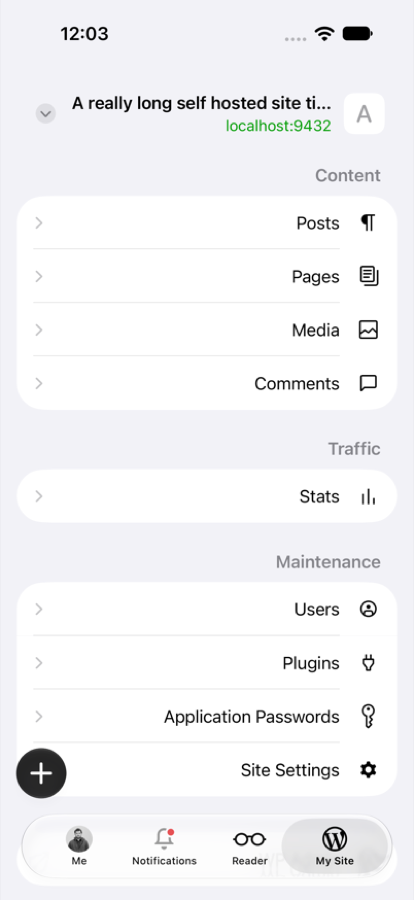
Disclosure chevrons point the wrong way in right-to-left languages.
What happens: chevron.right doesn't flip. UIKit's .disclosureIndicator, which this replaces, did.
Who is affected: Arabic and Hebrew users.
| Image(systemName: "chevron.right") | |
| Image(systemName: "chevron.forward") |
| This PR | With the suggestion |
|---|---|
 |
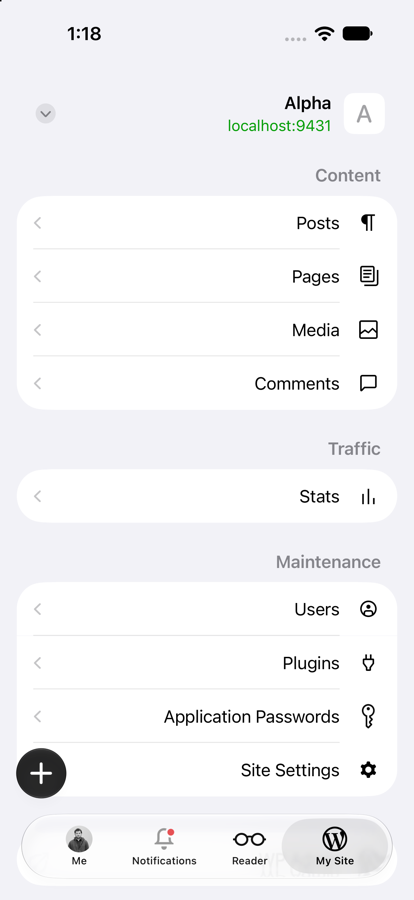 |
How this was checked: forced right-to-left layout with -AppleTextDirection YES, on this PR and with the suggestion. The merge base was not run for this one.
| for (rowIndex, rowItem) in section.rows.enumerated() where rowItem.kind == row { | ||
| return IndexPath(row: rowIndex, section: sectionIndex) | ||
| } | ||
| guard let item = sections.lazy.flatMap(\.rows).first(where: { $0.kind == row }) else { return } |
There was a problem hiding this comment.
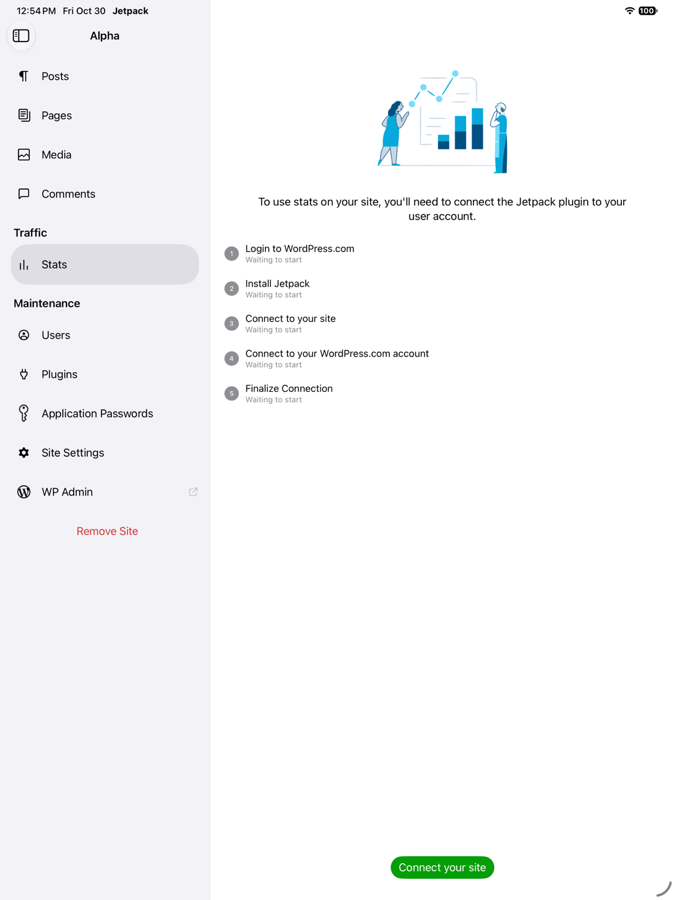
Not blocking: on iPad, a default row that appears later no longer opens.
What happens: this guard returns if the row isn't there yet. The old code remembered the row and opened it after the next reload.
Who is affected: probably nobody today. It needs a self-hosted site whose Stats row is missing at launch and appears later, and a sync never changes isAdmin for those sites.
What they see: nothing selected and an empty detail column. The merge base selects Stats and opens it.
| Merge base | This PR |
|---|---|
 |
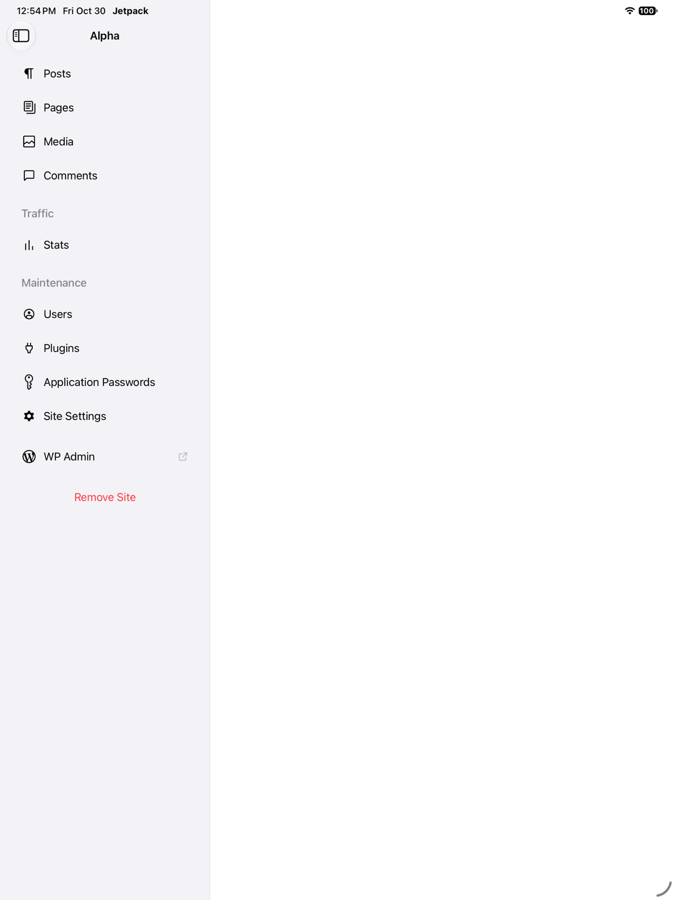 |
How this was checked: isAdmin was set to false in the database, then flipped to true at runtime with a test hook, followed by a pull to refresh. No fix has been tested.


Note
This PR will be merged after 27.3 code freeze, to give us a bit more time to test the changes during development.
Description
This prepares the site menu for SwiftUI destinations while keeping
BlogDetailsViewControlleras the UIKit entry point.List, including sidebar selection, badges, and section styling.Existing menu destinations retain UIKit routing. Native SwiftUI navigation for Comments follows in a separate PR.
Scrolling the site menu in My Site no longer reveals the navigation-bar title. Dashboard behavior is unchanged.
Testing instructions